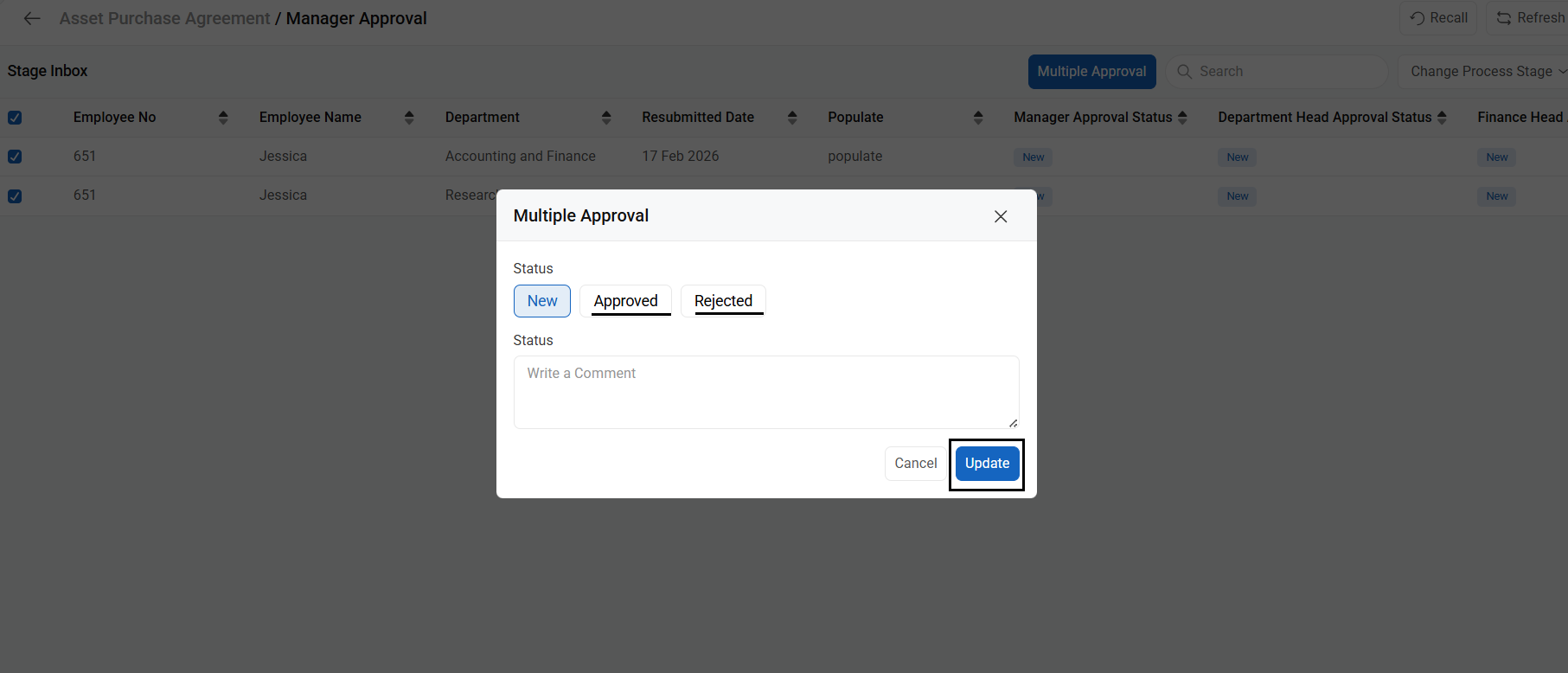
To Approve multiple requests simultaneously, follow the below steps
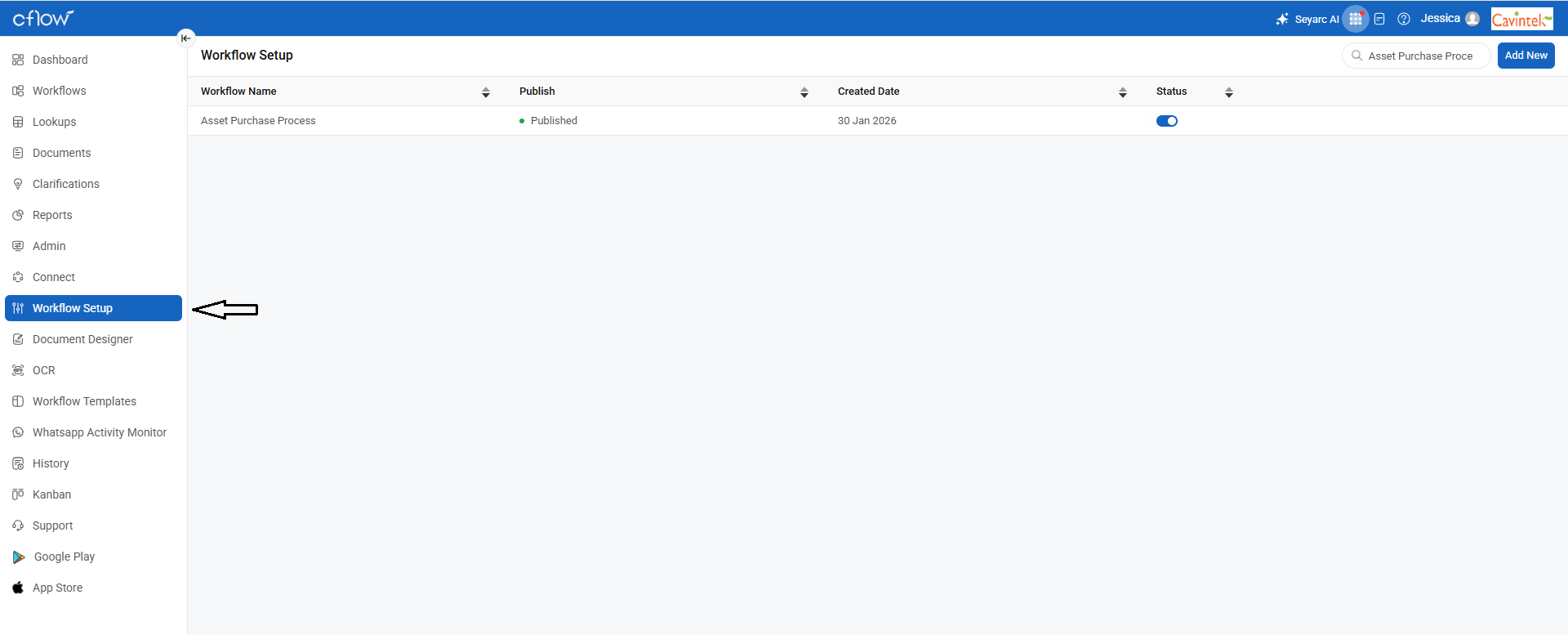
1. Go to Menu > Workflow Setup and select the required workflow.
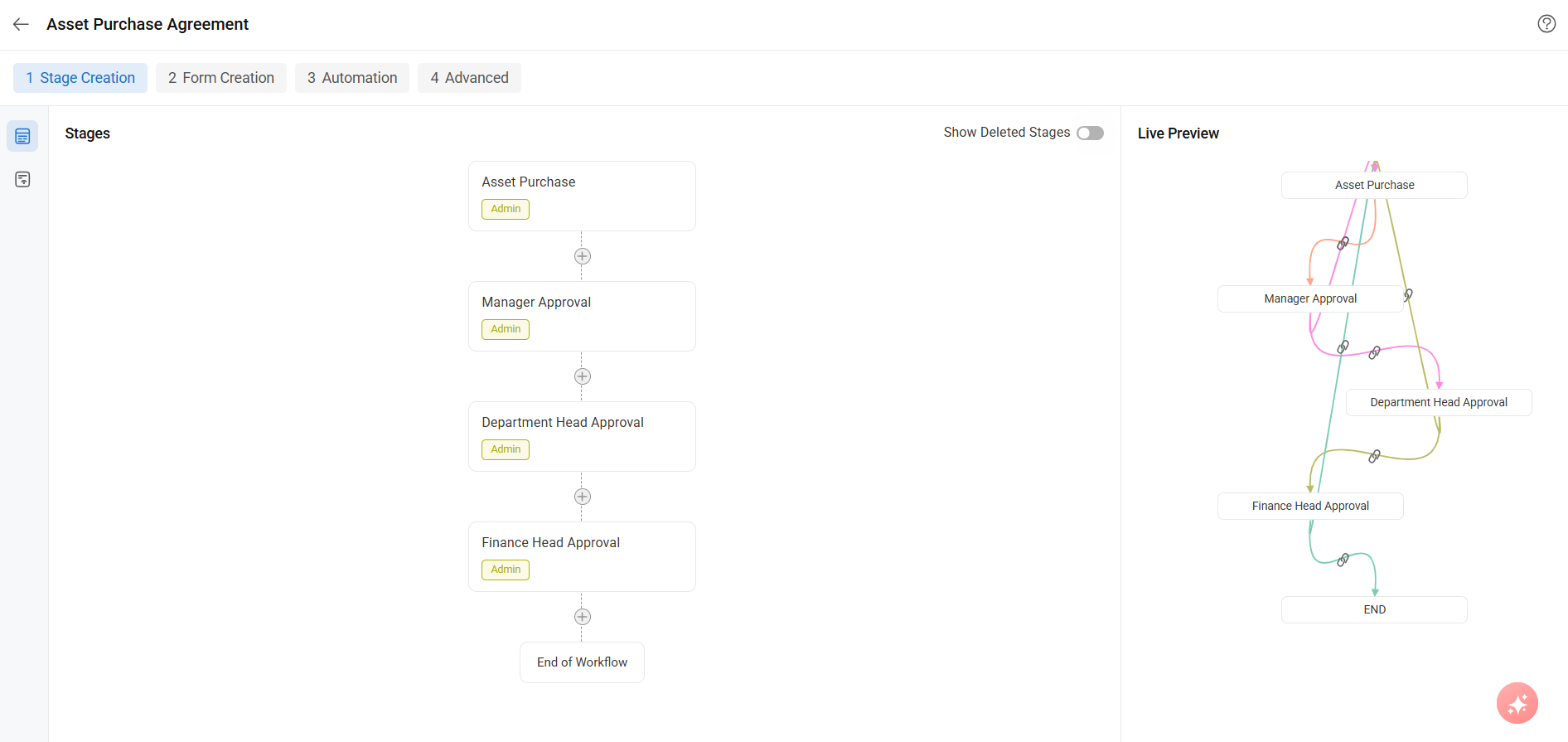
2. Select the Stage Name where you want to enable multiple approvals.
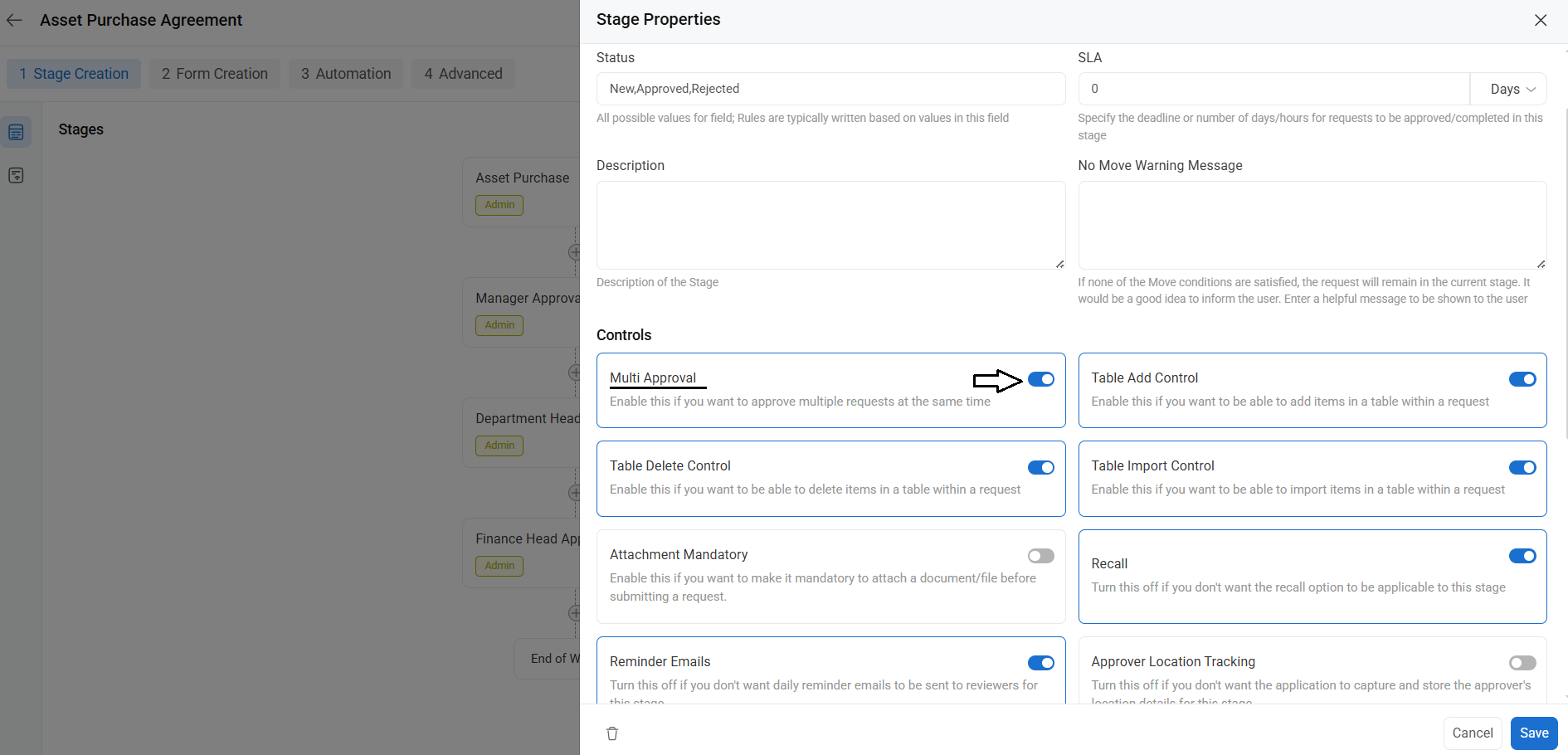
3. In the Stage Properties, toggle on the Multiple Approval option and save the setup.
4. Navigate to the Stage Inbox of the selected stage. You will see a checkbox next to each request ID. Select the required requests and click the “Multiple Approval” option at the top of the grid.
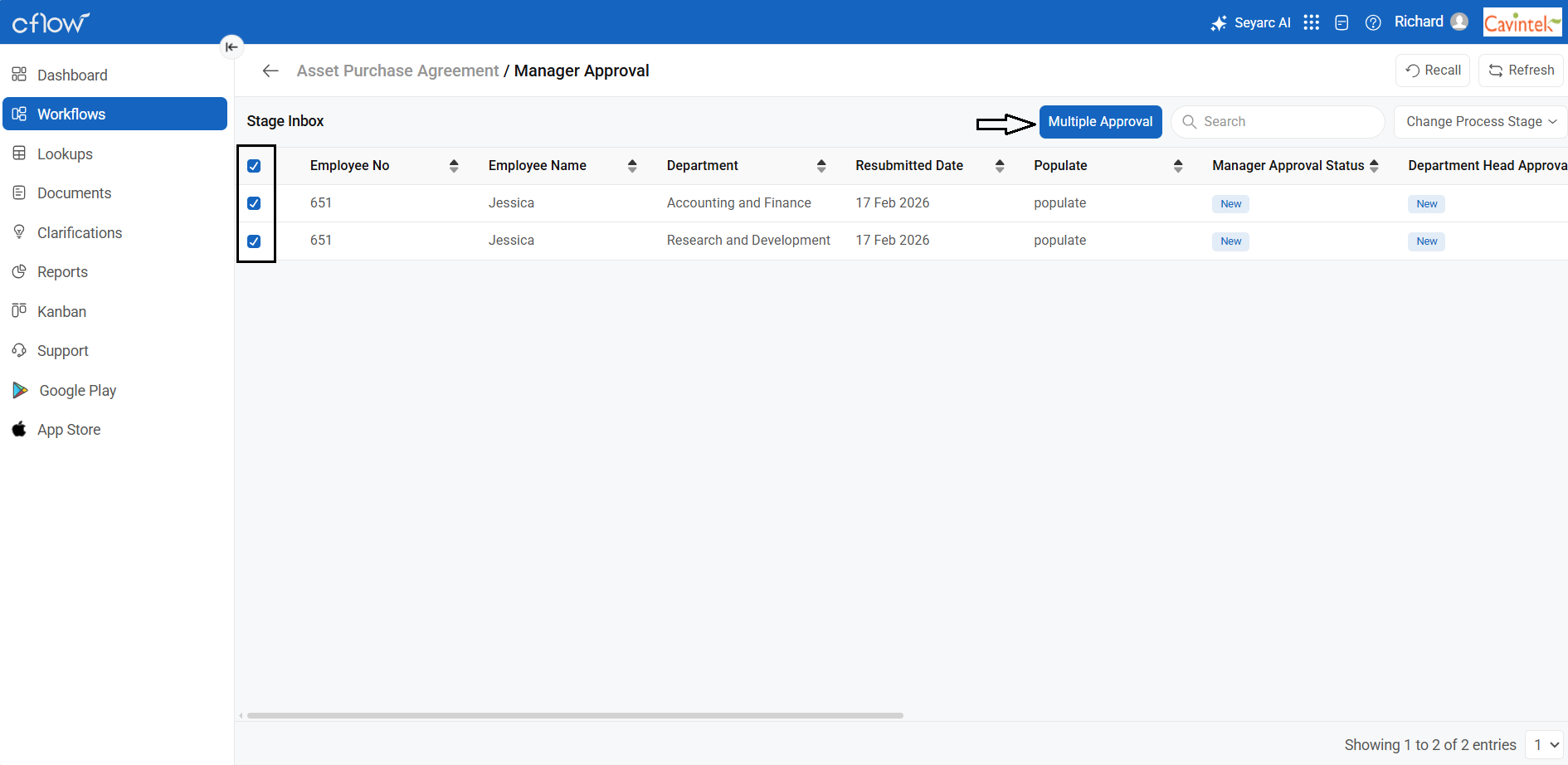
5. Choose the Status for the selected requests, provide comments if needed, and click Update.
- Upon a submission, all selected requests will move to the next approval stage.