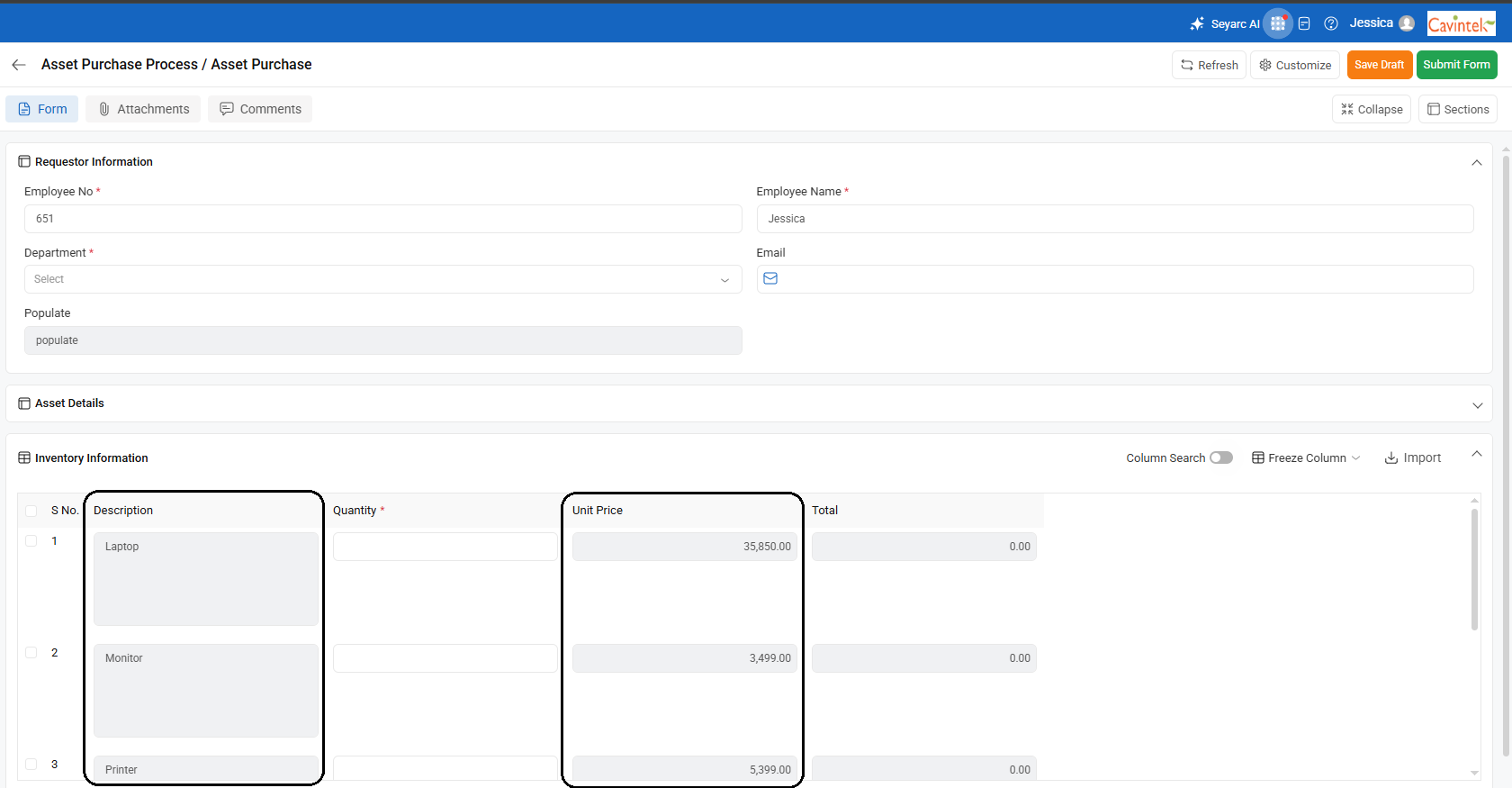
Lookup Condition in Cflow is used to automatically populate the field values in a workflow based on the values entered in another field.
Steps to Configure:
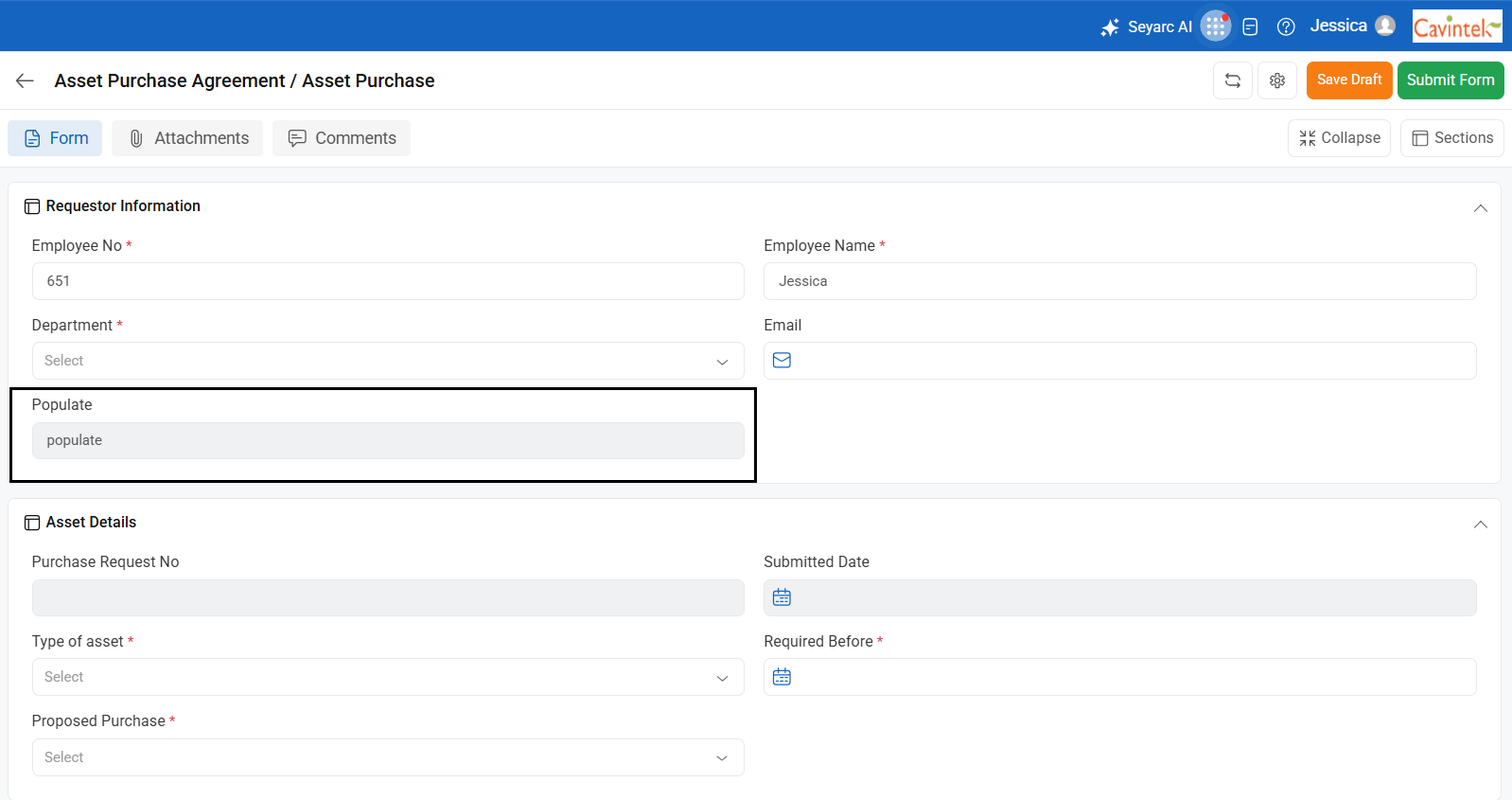
- Create a new field in the form (Eg,.Populate) and provide a default value for it(Eg:populate).
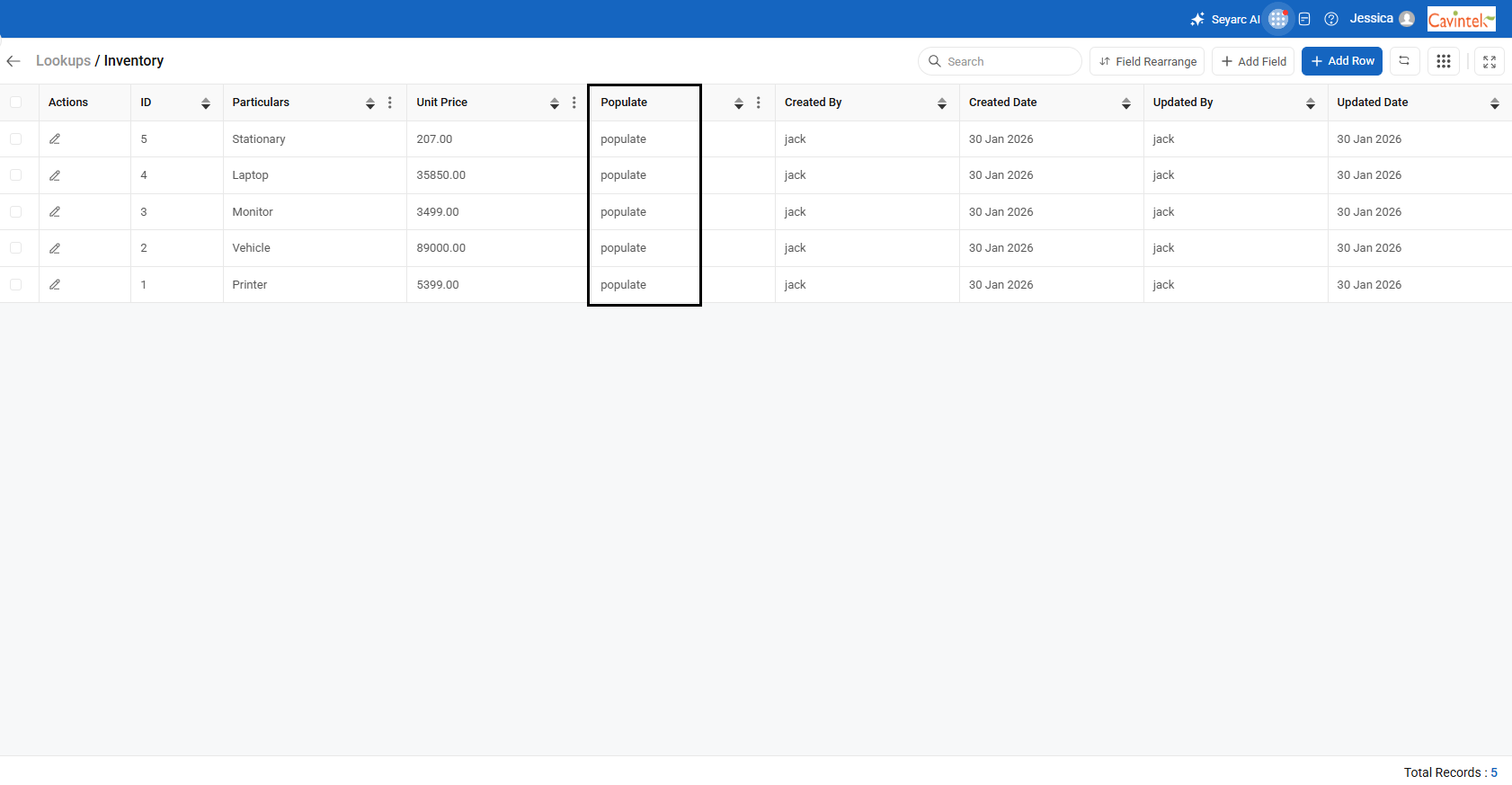
– Create one lookup with the required fields that need to be auto-filled and provide the values for it. Also, create an extra field (Eg,.Populate) in lookups and give (Eg:populate) as its default value.
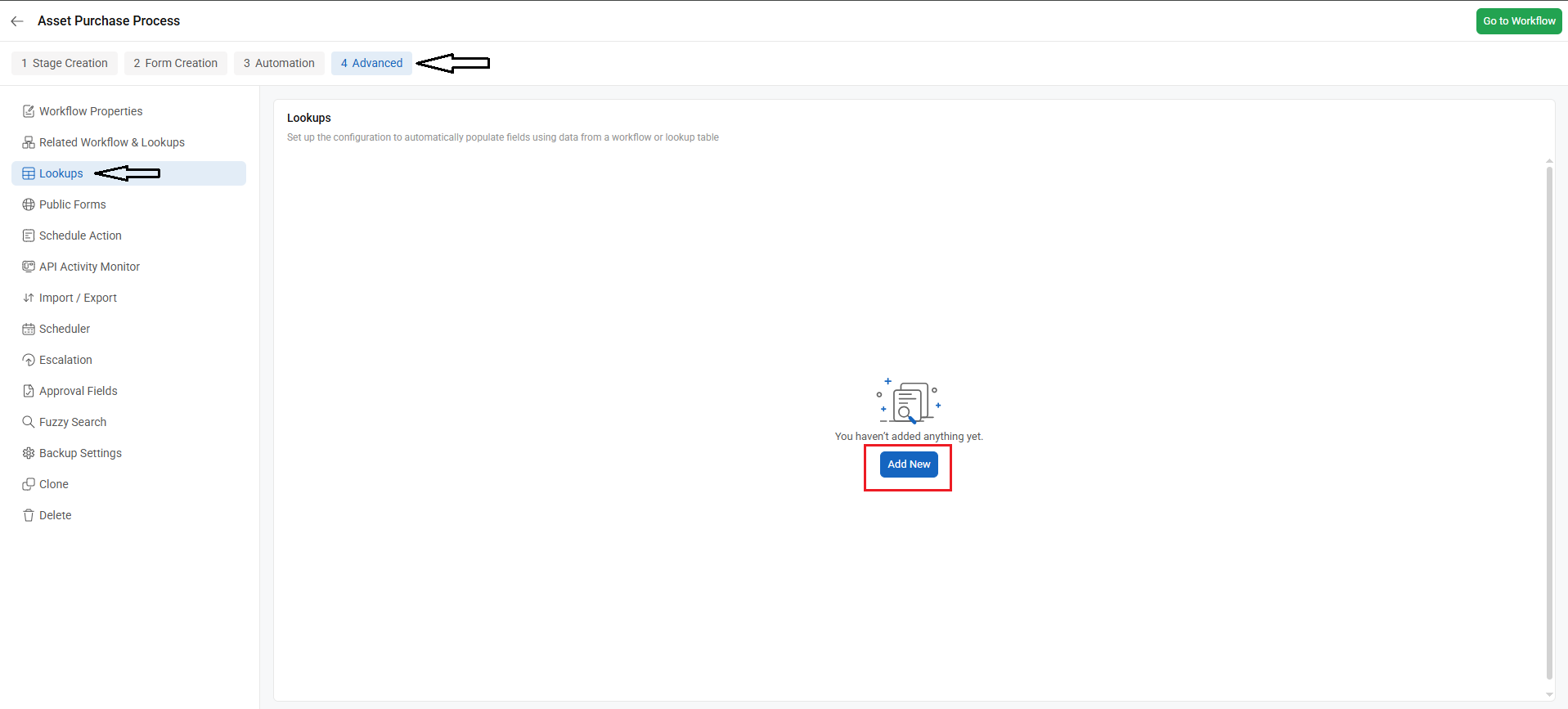
– Go to Workflow Setup, select a workflow, click the Advanced tab, and then open the Lookups menu to configure a lookup condition.
-Select the lookup name from which you want to populate fields in a workflow.
-In the Match Criteria section, select the fields from the lookup that should be matched with the workflow fields to retrieve the relevant values.(Eg:Populate)
– Select the table name in the sections dropdown in which the values will be populated.
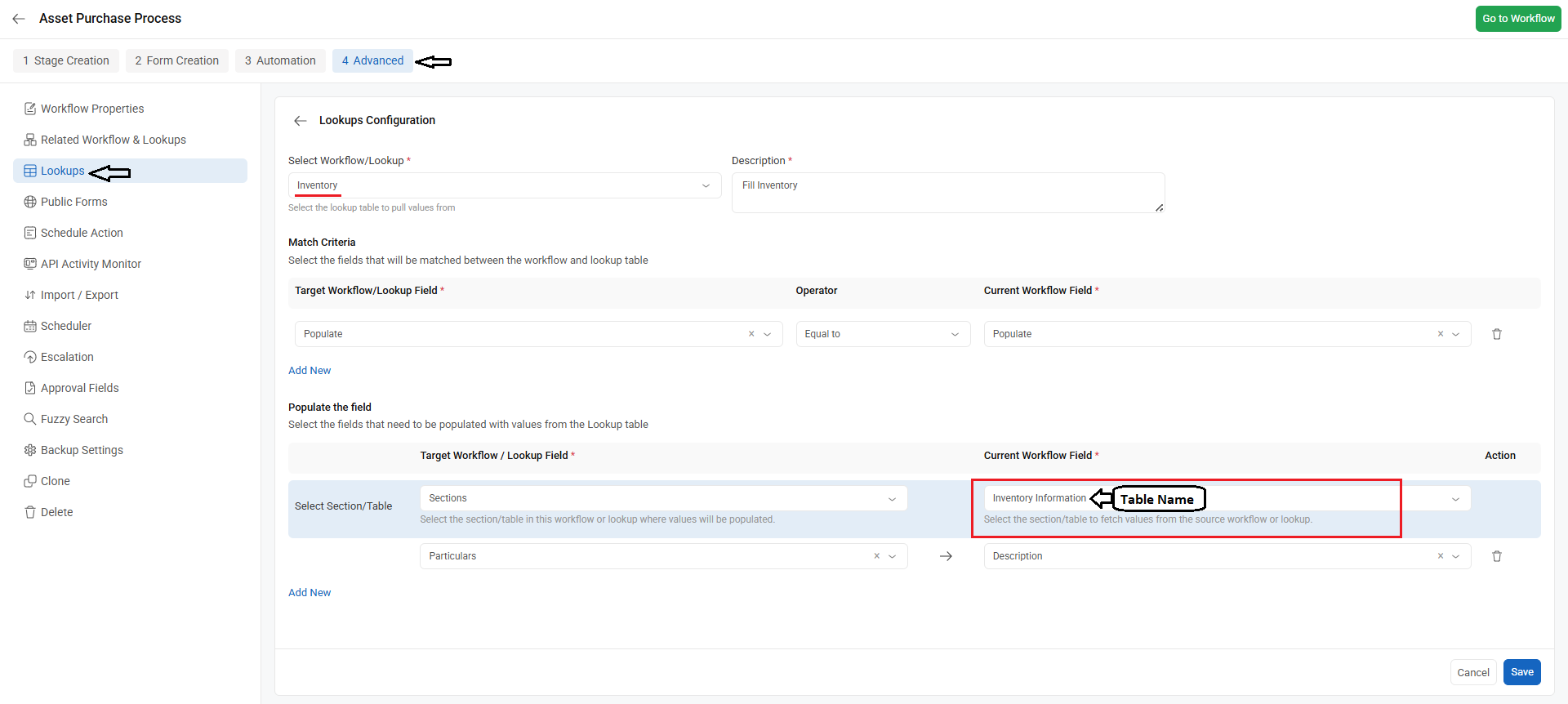
– Add the mapping fields. During execution, values in the workflow will match those in the lookup, and based on the matched row, corresponding values will be fetched.